I keep a tab on Google Labs because the lineup changes fast. Some experiments turn into everyday products. Some close with little warning, and old blog posts keep pointing at them as if they were still there.
I went through the official Labs pages on 22 November 2026 and wrote this guide from what those pages actually say. If a tool has closed or moved, I say so. I also flag a few related Google experiments that are still live but are not on the main Labs list.
This is not a hands-on review. It is a map of what Google is showing the public right now, and what you can actually do with each tool.
A quick look at the current lineup
| Tool | Status on 22 November 2026 | What it is for |
|---|---|---|
| CC | Live experiment | A group agent for family and household logistics |
| Google AI Edge Foresight | Live experiment | On-device meeting notes and recall |
| Google AI Edge Eloquent | Live experiment | Turns rough speech into clearer writing |
| Disco, including GenTabs | Live experiment, waitlist | Remixes open tabs into custom web apps |
| Tabletop | Live experiment | Shared spaces for planning, play, and group work |
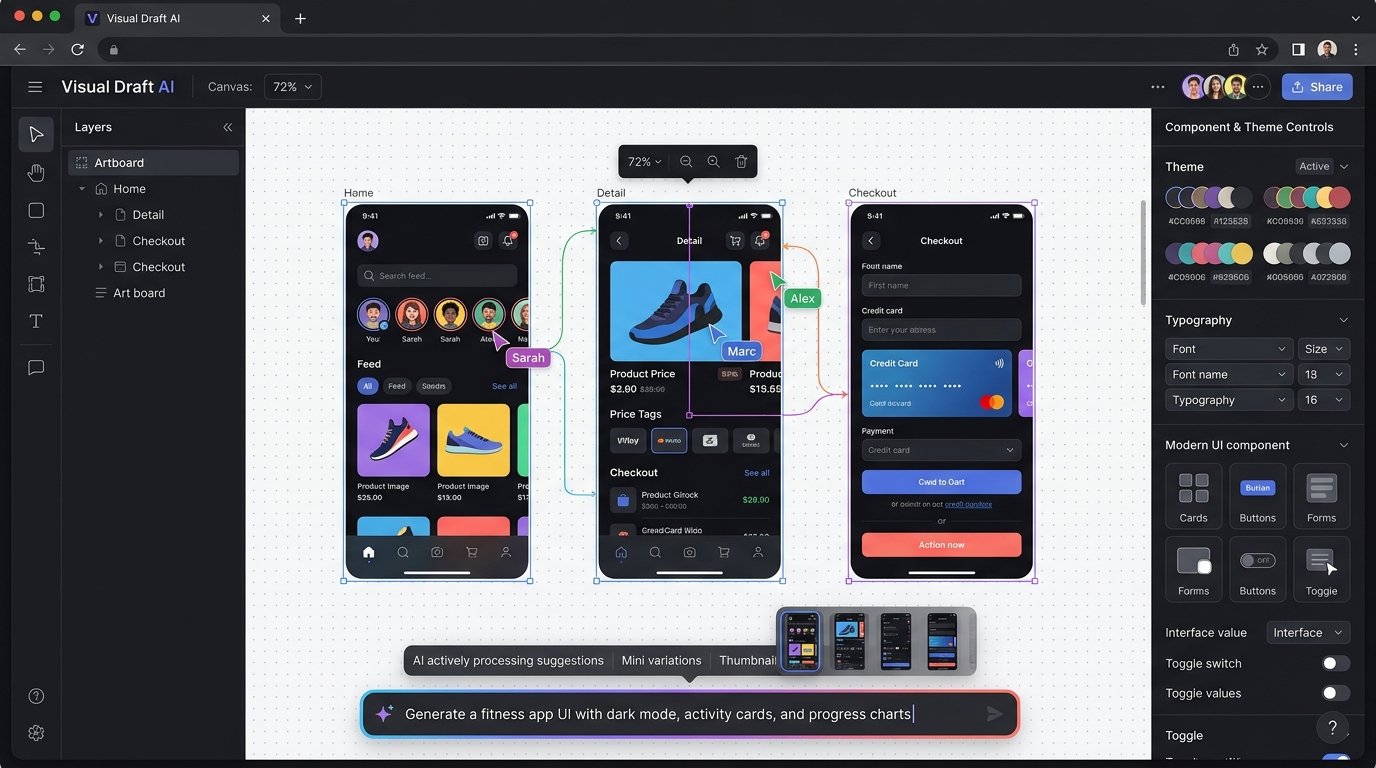
| Stitch | Live experiment | Turns a product idea into UI designs |
| Stitch Loop | Live experiment | A product agent that keeps iterating until metrics move |
| Stax | Live experiment | Tests models and prompts before you ship |
| Co-Scientist Workbench | Live experiment, early access | Helps researchers go from an idea toward a checked discovery |
| Playground | Live experiment | Create, play, and share games from a written idea, with no coding required |
| Learn Your Way | Live experiment | Turns study material into a personal learning experience |
| Vantage | Live experiment | Practices collaboration, creativity, and critical thinking with simulated teammates |
| Dreambeans | Live experiment | A daily set of personal stories from the Google apps you connect |
| Play with Putty | Live experiment | Teams build tools and websites together in real time |
| Project Genie | Live experiment, limited access | Create and explore interactive worlds |
| Pomelli | Live experiment | Builds on-brand marketing campaigns from your website |
| Google Flow Music | Live on Labs, also listed as graduated | An AI music studio for songs and music videos |
| Google Gemini | Graduated product | A general assistant for writing, planning, and brainstorming |
| Google Flow | Graduated product | An AI studio for images, video, and custom creative tools |
| Gemini Notebook | Graduated product | A research partner grounded in sources you trust |
| Google AI Studio | Graduated product | A place to prototype and build with Gemini models |
| Opal | Closed 17 November 2026 | Its work moved toward skills in Gemini |
| Mixboard | Closed | The moodboard experiment has ended |
| Whisk | Moved on 30 April 2026 | Its features moved into Google Flow |
| MusicFX | Moved | Its official link now opens Google Flow Music |
| Project Mariner | Closed 4 May 2026 | Google says its technology moved into other Google products |
Availability can vary by country, age, waitlist, or Google AI plan. Check the page for each tool before you plan work around it.
The live experiments
CC
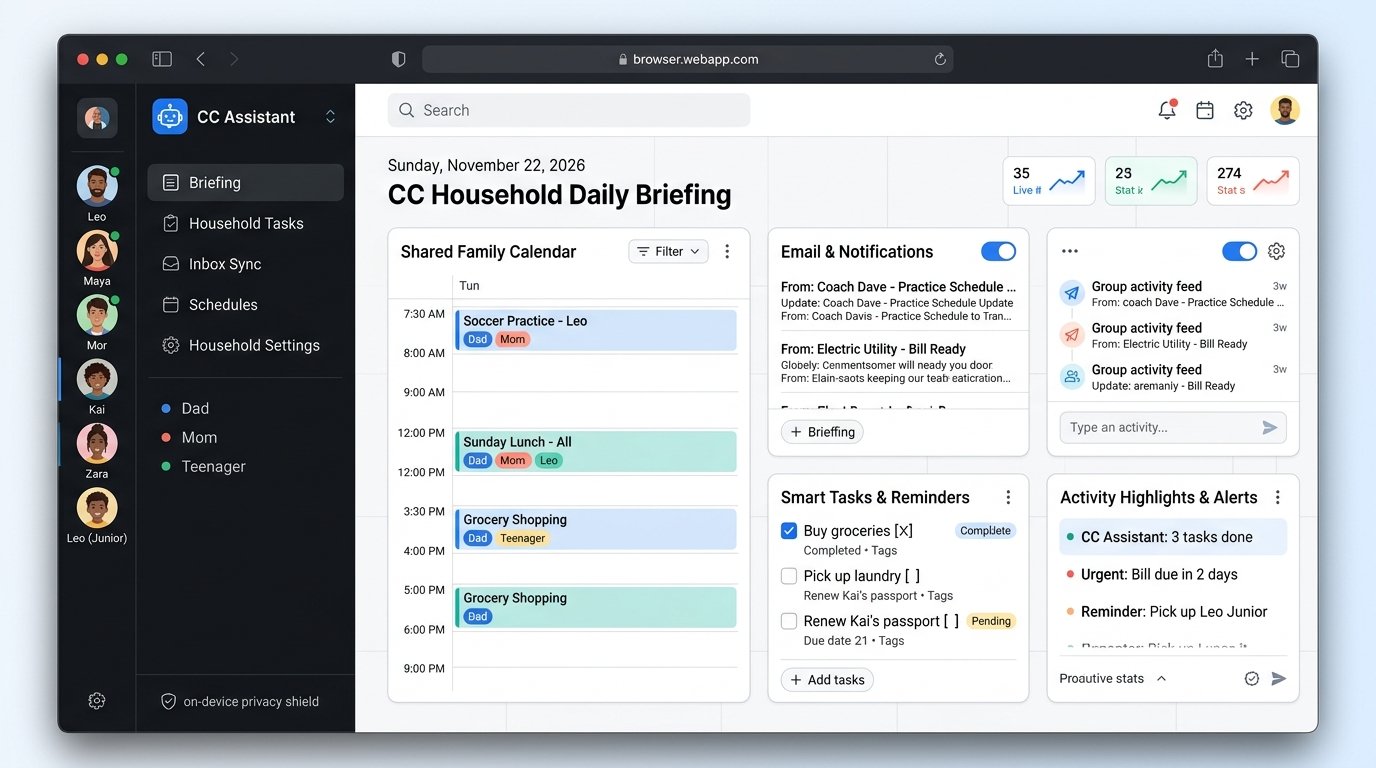
CC is an experimental group agent for families and households. Google says it is there to help manage the logistics of running a busy home.
If you are the person who usually keeps everyone's calendar and school pickup in your head, this is the experiment aimed at that job. It is on the main Labs list, so start at the official CC page to see whether you can join it where you live.
Google AI Edge Foresight
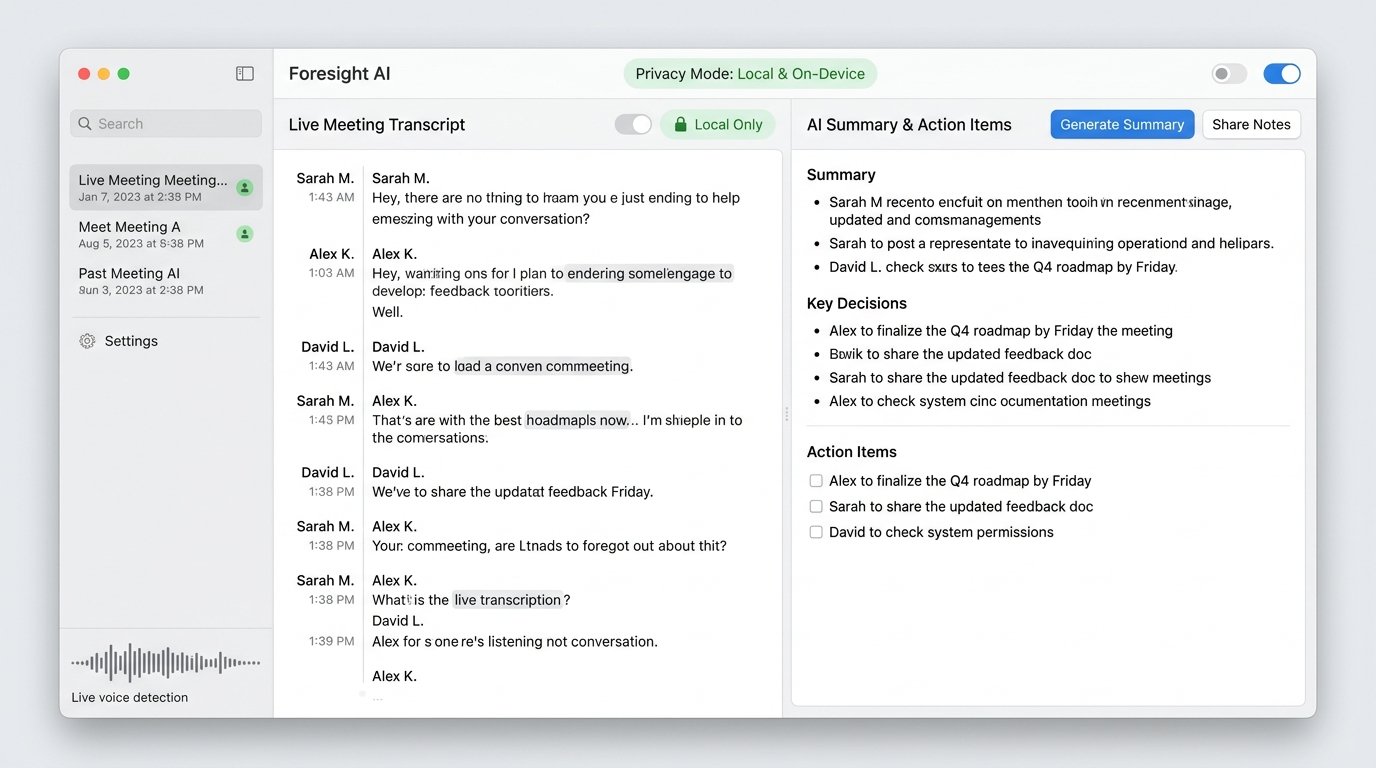
Google describes Google AI Edge Foresight as an on-device meeting companion. It helps with note taking and with recalling important details so you are less likely to miss something.
The useful part is the on-device claim. If you want meeting notes without sending the session to a cloud notetaker, this is the Labs experiment built around that idea. Confirm the current details on the Labs page, because on-device tools can still have limits.
Google AI Edge Eloquent
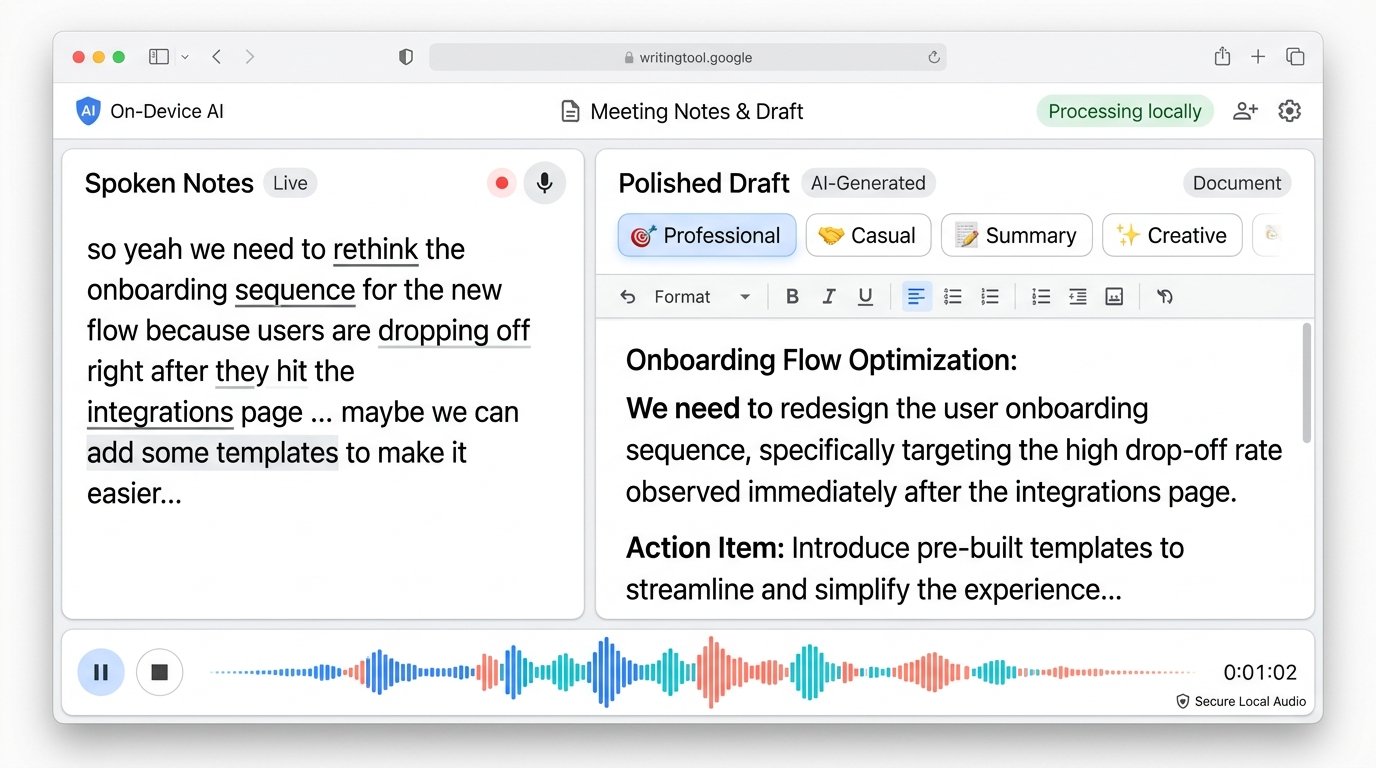
Google AI Edge Eloquent is an AI writing tool. Google says it transforms raw, unpolished speech into well crafted, easy to understand text.
That is the whole official pitch, and it is a clear one. You talk in a messy way, and the tool tries to hand back writing you can actually use. I would not assume extra features beyond that until the product page says so.
Disco, including GenTabs
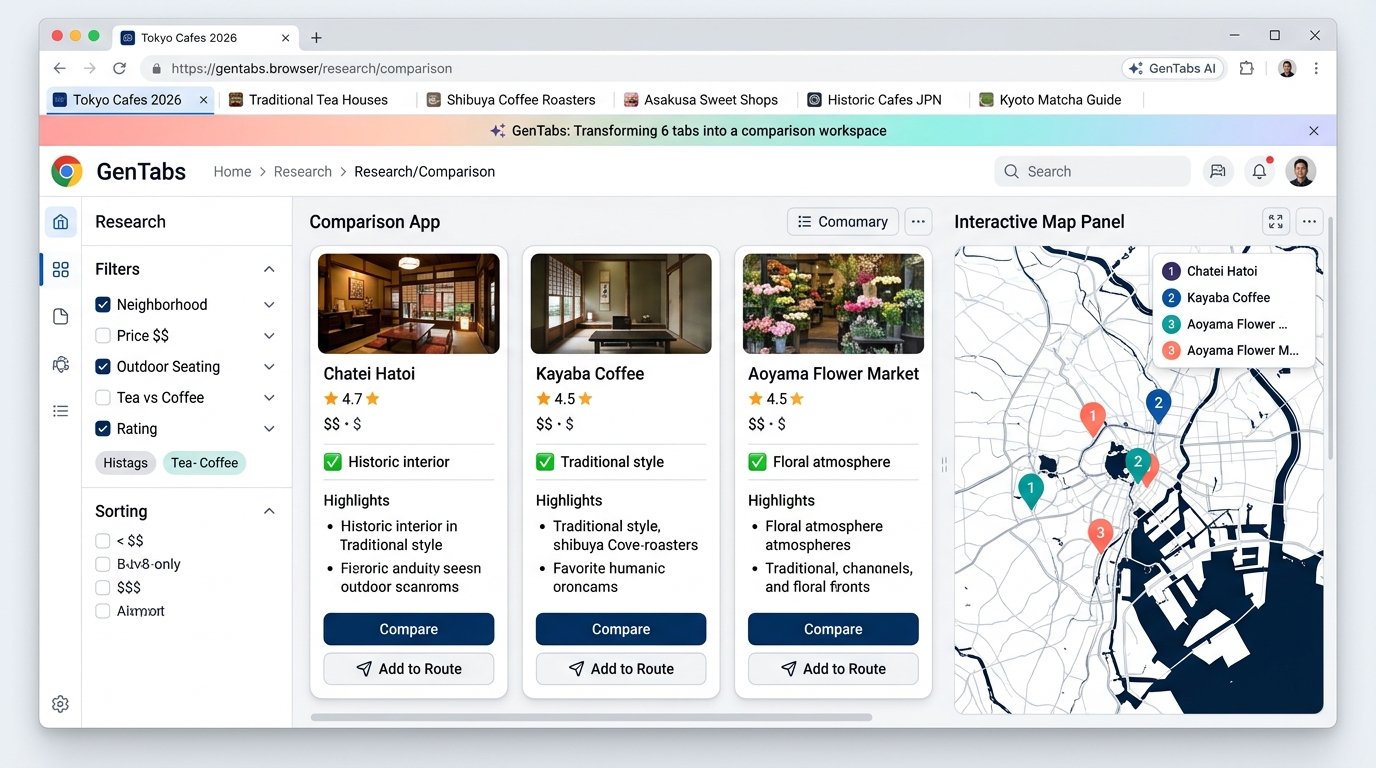
Disco is Google's place to test AI features for the web. The first of those features is GenTabs, which remixes the tabs you already have open into custom apps. The Labs homepage says GenTabs does this with Gemini 3.
The Disco page also describes a newer AI-Enabled Pointer. You can select part of a page for a quick answer, keep the conversation going in a side panel, jump to a relevant section, and add useful bits back into a GenTab. Google is still taking people onto a waitlist.
Tabletop
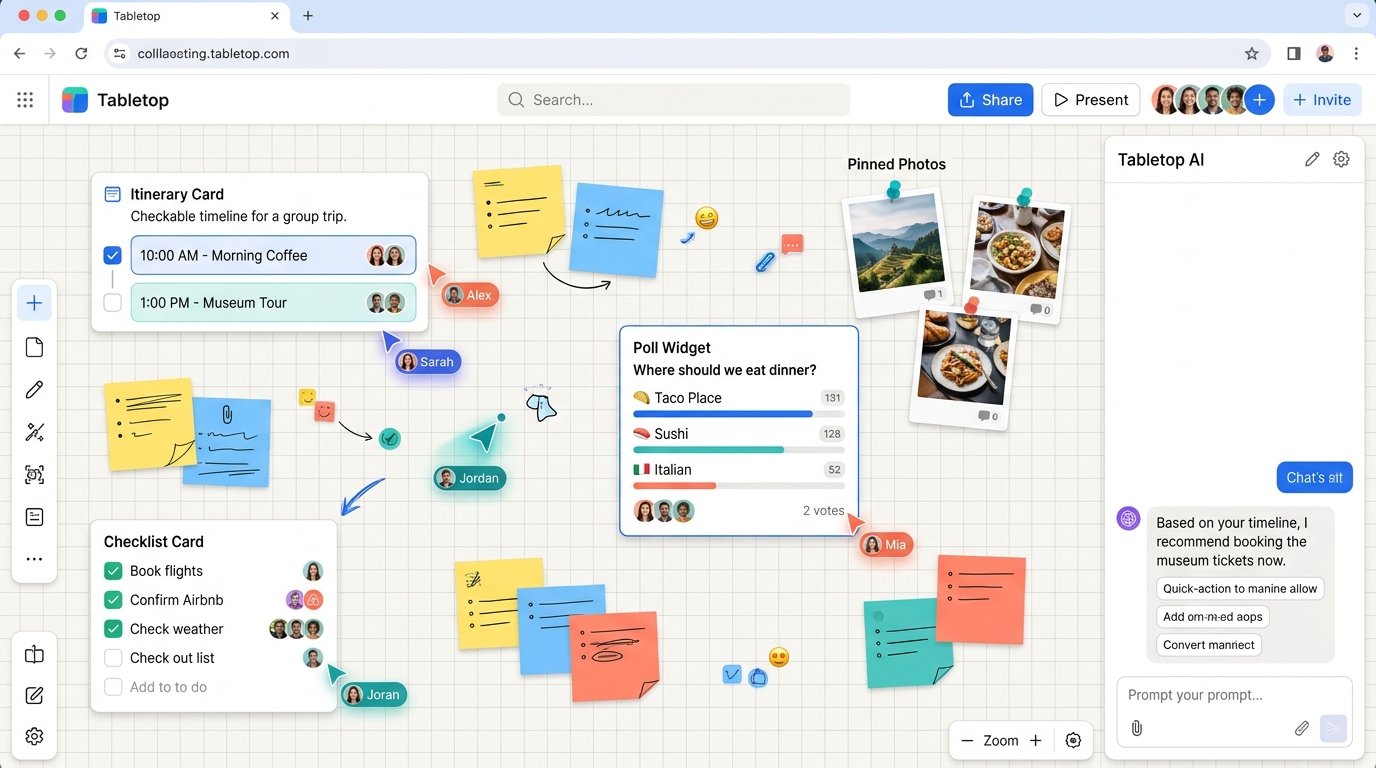
Tabletop offers customizable, collaborative spaces for planning, playing, building, and doing more together. The Tabletop site puts it more simply. It helps you get things done, together.
Think of a shared canvas you can shape around a trip, a project, or a game night, instead of forcing the group into a document or a spreadsheet. That is the official idea. The rest depends on what Google has switched on when you open it.
Stitch

Stitch is one of the tools Google is pushing hardest on the Labs homepage. The official line is that it turns your ideas into UI with what Google calls a vibe design tool.
If you have a product idea and you need screens you can show someone, this is the experiment for that first design pass. I would still treat the output as a starting point, not a finished design system.
Stitch Loop
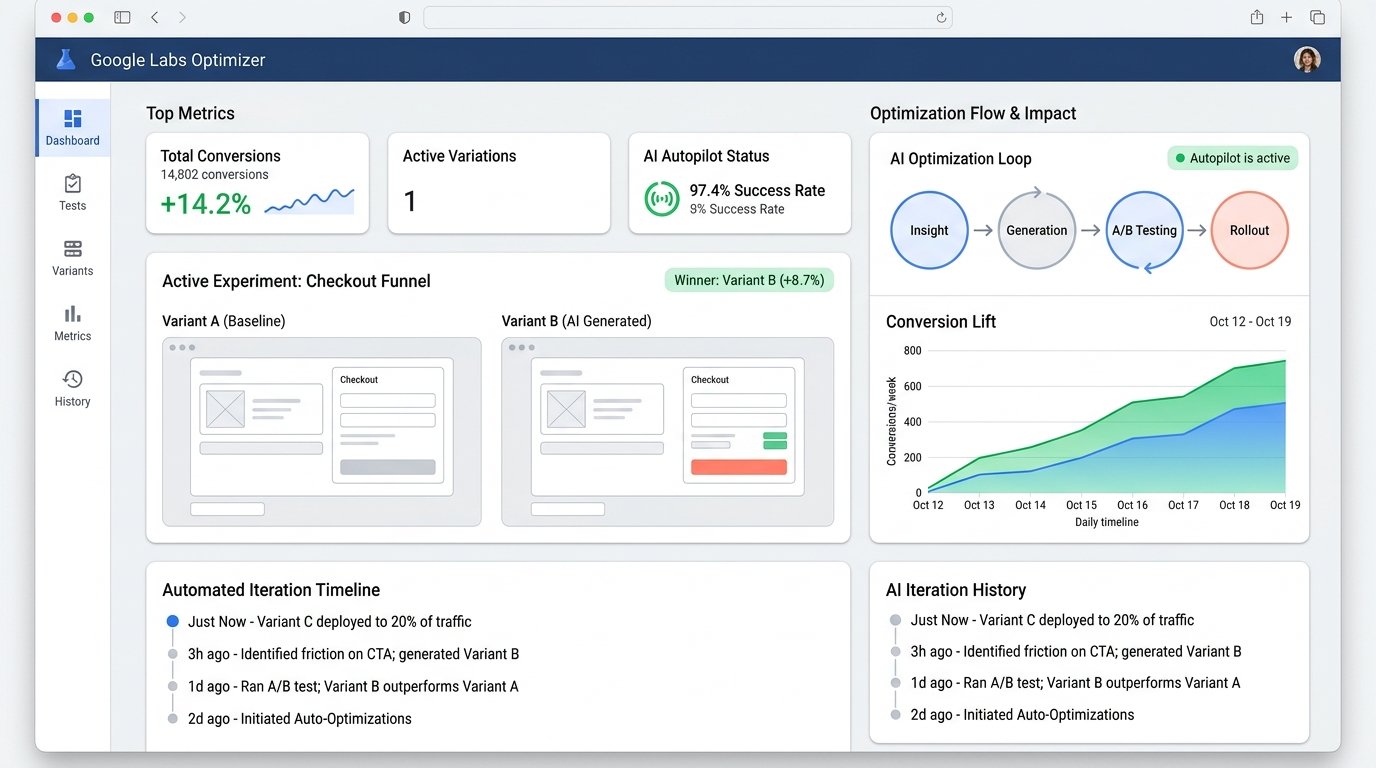
Stitch Loop is a separate experiment from Stitch. Google calls it a product agent that helps you build a better product by working non-stop until the right numbers move.
That is a bold claim, and it is also all the official page really gives you. I would join it as an early look at automated product iteration, not as a replacement for a product team.
Stax
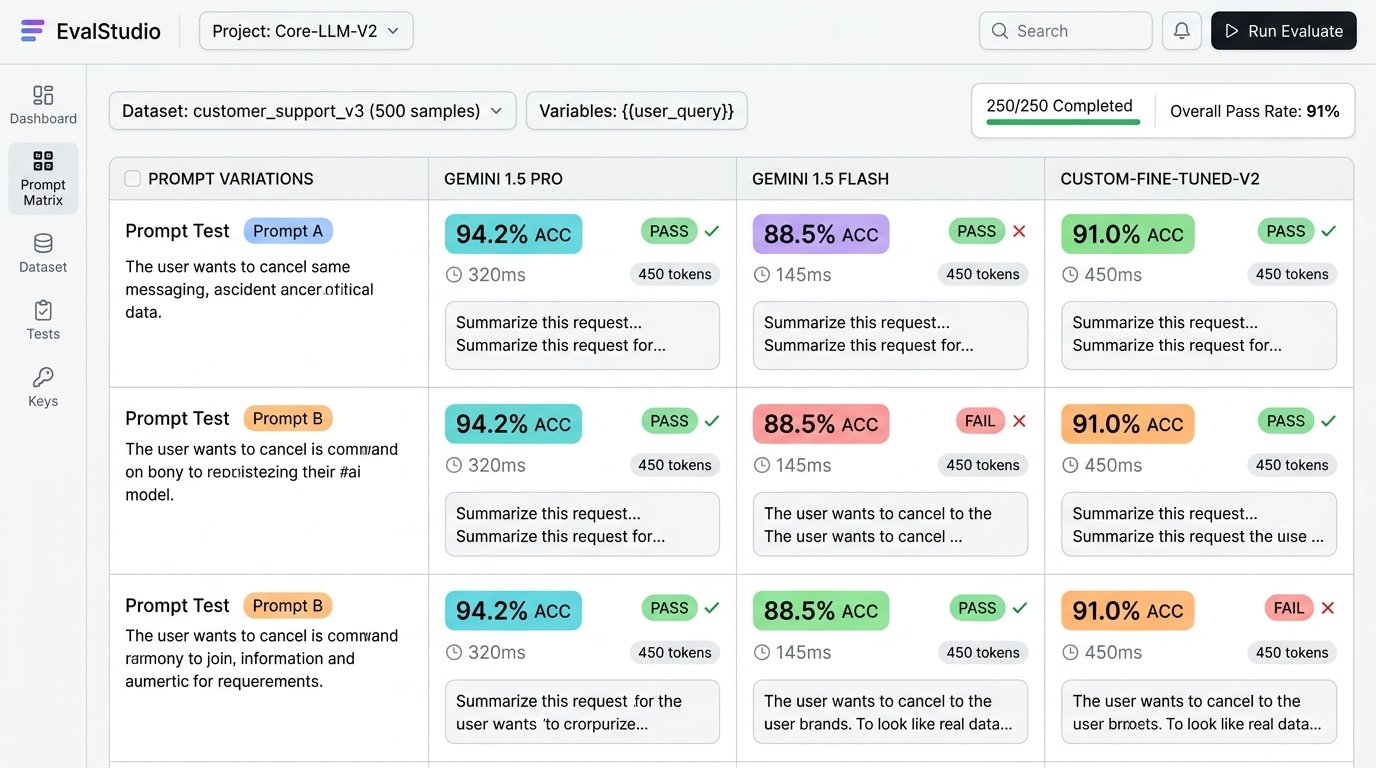
Stax is an AI evaluation toolkit. Google says it tests models and prompts so you can ship better products with more confidence.
If you have ever had a prompt that worked once and failed on the tenth real user, this is the experiment aimed at that gap. Use it to compare options before you rely on a model in production.
Co-Scientist Workbench
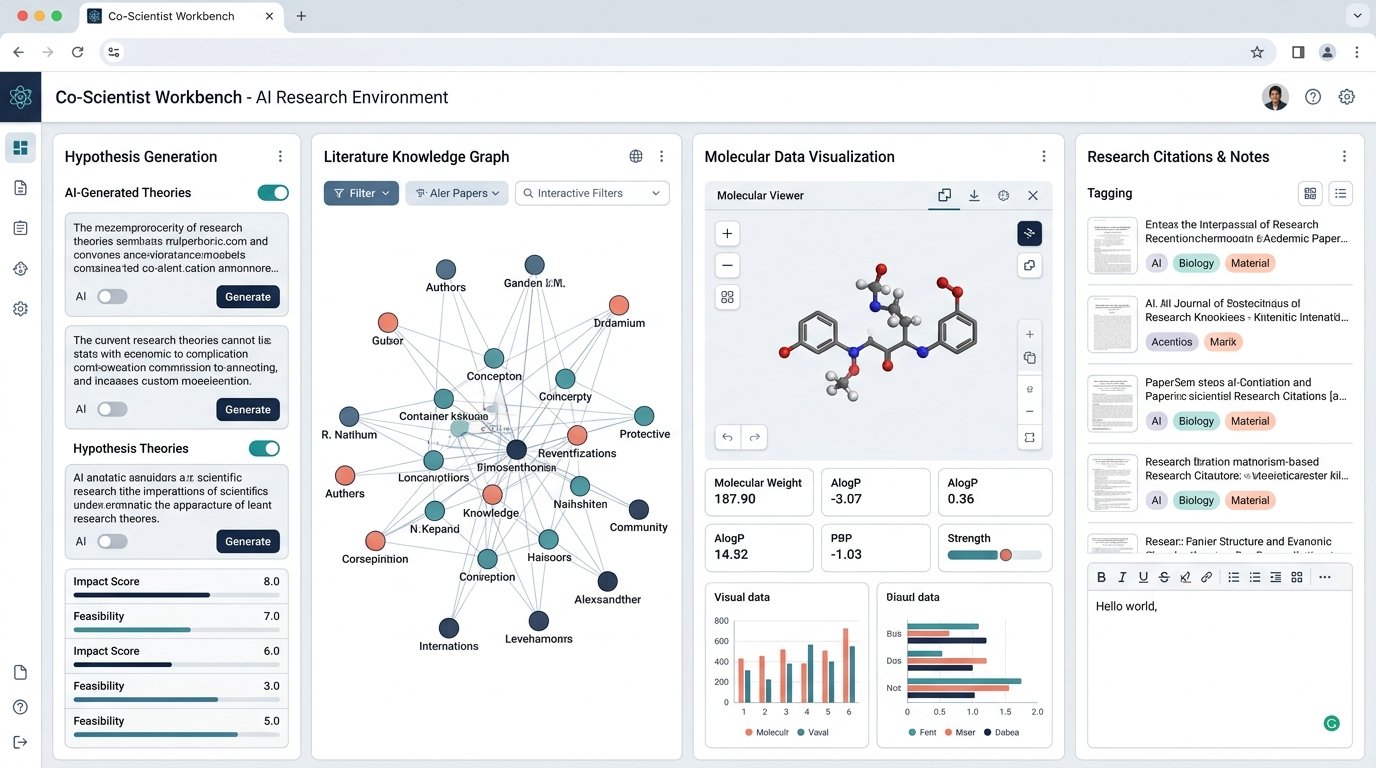
Co-Scientist Workbench is a unified workbench designed with the scientific community. Google says it is meant to help research move from an idea to a validated discovery. There is an early access program on the science page.
The same Labs science page groups three experimental tools inside that effort. Literature Insights helps you find papers, pull out data, and turn the work into reports or other artifacts. Hypothesis Generation uses a multi-agent setup to propose research directions and pressure-test them. Computational Discovery generates and scores code variations against your own metrics. Official copy stresses provenance, so you can check claims instead of taking the model at its word.
Playground
Playground is an experimental gaming platform. Google says you can create, play, and share games, and that you can describe an idea and get a custom game in minutes, with no coding required.
It is one of the more approachable Labs experiments if you just want to try something. I would still treat those games as prototypes, not as a shipped title.
Learn Your Way
Learn Your Way is an AI learning tool that transforms content into a dynamic experience tailored for you. That is the official Labs description, and it is enough to know who it is for. Students and anyone teaching themselves a new subject are the obvious audience.
A related Google page still lives at Illuminate. Its own description says it turns research papers into AI-generated audio summaries. The Illuminate title currently appears alongside Learn Your Way, so I am treating Illuminate as a live Google experiment in the same learning area, not as a separate item on the main Labs grid.
Vantage
Vantage is for skills that are hard to practice alone. Google says it helps you develop and measure collaboration, creativity, and critical thinking through AI-simulated teamwork.
If you train people, teach, or want a rehearsal for group work, this is the experiment to look at. I would read the page for how results are measured before I used it in a formal program.
Dreambeans
Dreambeans is one of the newer Labs experiments, and it was not in the first draft of this article. Google's line is "daily inspiration, brewed just for you." The official page says it builds personalized collections of stories each day from the Google apps you choose to connect.
Those apps can include Gemini, Gmail, Calendar, Google Photos, YouTube, and Search. It is an app for Android and iOS, and Google currently says it is available to people 18 or older in the US and India. It can take up to a day to build the first set of stories. Google also says the app can get details wrong, and that you can tune it or remove your data in settings.
Play with Putty
Play with Putty is a research experiment in collaborative vibe coding, to use Google's phrase. Officially, it lets teams build tools and websites together in real time.
The Labs page talks about instant sync, multiplayer editing, giving natural-language instructions to a part of the interface, and a shared history of changes. There is a waitlist. I would treat it as an early team prototyping experiment, not as your main website builder.
Project Genie
Project Genie is an experimental research prototype for creating and exploring interactive worlds. Google says it is powered by DeepMind's Genie 4 world model, and that you can create realistic worlds with natural physics and native audio, or describe what you want to the Project Genie agent.
Access is limited. Official help material says it is available to eligible Google AI Ultra subscribers where Ultra is offered, that Google AI Pro members can join a waitlist, and that you must be 18 or older. Daily usage limits can apply. Google also notes that this is still an early prototype, so actions may not work as you expect.
Pomelli
Pomelli is still a live Google Labs experiment, even though it is easy to miss on the main Labs homepage. The official about page says it helps you generate on-brand content for your business.
Google's Labs blog describes the basic flow. You enter your website, Pomelli builds a Business DNA profile from your tone of voice, fonts, images, and color palette, then it suggests campaign ideas and creates marketing assets you can edit and download for social posts, your site, or ads. It launched as a public beta, and availability has changed by country over time, so check the Pomelli page to see if it is open where you are.
Google Flow Music
Google lists Google Flow Music both among current Labs experiments and among the products that have graduated. It started in Labs as ProducerAI. Officially it is a music studio for creating original songs and music videos with an AI producer.
The Flow Music site says you can chat with that producer, create full-length songs with the Lyria 3.5 music model, and direct music videos with Veo's video model. It also lets you build "spaces" such as audio plugins or custom music tools. Google currently says it is free to start and does not require a credit card. The old MusicFX link now opens Flow Music, so I would use Flow Music as the current music product and not hunt for MusicFX as a separate tool.
Tools that graduated out of the lab
Google keeps a short "Life beyond the Lab" list on the Labs homepage. These started as experiments and are now standing products.
Google Gemini
Google Gemini, formerly Bard, is Google's personal AI assistant for writing, planning, brainstorming, and more. That is the official Labs wording, and it matches how most people already use it.
If you only try one graduate from this list, this is the one already sitting in the middle of Gmail, Search, and the Gemini app. Features still vary by plan and country, so check your own account rather than assuming every demo you have seen is switched on.
Google Flow
Google Flow, formerly VideoFX, is Google's AI creative studio for creating and refining stories. The current Flow site goes further than video. It is a studio for images and video, with models such as Veo and Google's image tools, plus custom tools you can build in natural language.
This also matters if you used to use Whisk. On 30 April 2026, Google said the main Whisk features were moving into Flow. The old Whisk Labs link now opens Flow. If you still have Whisk files, Google's notice said leftover media would not stay recoverable after that date, and Flow is not available in every country.
Gemini Notebook
Gemini Notebook is the current name on the official product page. Google Labs still describes it as the research and thinking partner that started as Project Tailwind, grounded in information you trust.
The product page says you can turn files into slide decks, brainstorms into mind maps, assignments into audio overviews, and textbooks into video overviews. If you knew this tool as NotebookLM, you are in the same place. The old NotebookLM address now leads to Gemini Notebook.
Google AI Studio
Google AI Studio, formerly MakerSuite, is the graduate for people who want to build with Google's models rather than only chat with them. Labs now calls it a vibe coding platform for building production-ready apps and websites.
It is the official front door for trying Gemini models, shaping prompts, and moving from a prototype toward working code. If you are a developer or a founder, this is the graduate I would open after Gemini itself.
Tools that closed or moved
This is the section I added because leftover guides still treat these as if you can sign up today. You should not plan new work on them.
Opal
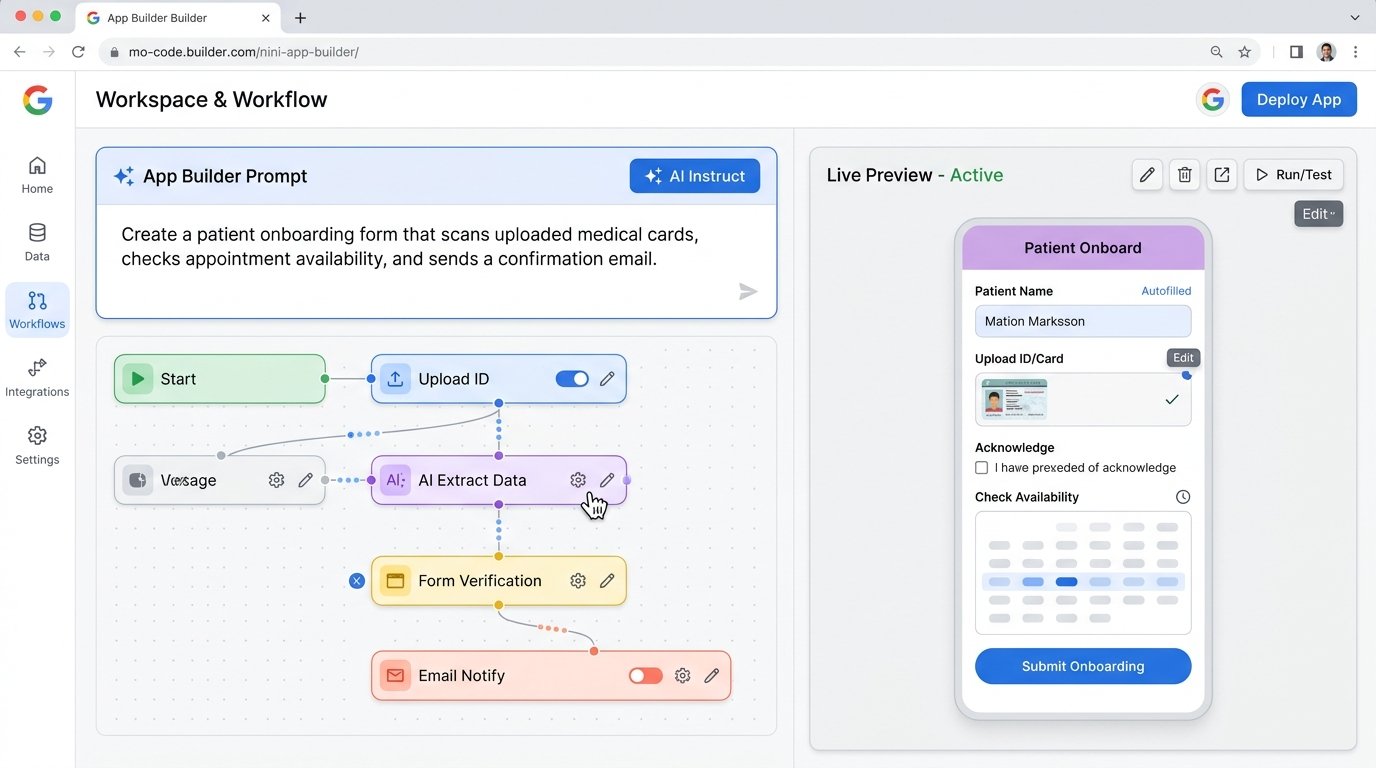
Opal was a Labs experiment for building AI mini-apps and workflows in plain language or with a visual editor. Google's official Opal FAQ, updated 17 November 2026, says Opal graduated to skills in Gemini and that opal.google was turned down on that date. "Gems made by Labs" closed the same day.
Your Opal files are still in Google Drive, under My Drive, then Opal. The apps no longer run, but the original prompts are in those files, and Google says you can copy them into a new skill in Gemini. Shared Opal links now go to that FAQ. If you built anything you still need, export the prompts now.
Mixboard
The official Mixboard page is blunt. The Mixboard experiment has ended, and Google thanks people for trying it. I would not expect old boards or shared Mixboard links to still work.
Whisk and MusicFX
Whisk is covered above, because its official destination is Google Flow. MusicFX has followed a similar path. The official MusicFX Labs URL now opens Google Flow Music.
Project Mariner
Project Mariner was Google's browser-based agent prototype. The official Mariner page now says it was shut down on 4 May 2026, and that its technology "voyaged to other Google products." Google tells visitors to try Gemini for complex tasks with Gemini Spark.
I am not going to map every later Gemini feature back to Mariner, because Google's own notice does not provide that list. The practical point is that Mariner itself is gone.
Two related experiments that are not on the main Labs list
Project Astra is still described on a Google DeepMind page as a research prototype for a universal assistant that can see and hear the world around you. Officially, Google is bringing those capabilities into Gemini Live, new experiences in Search, and new form factors such as glasses. It is not a tool you join from the main Labs grid.
Food Mood is still live as a Google Arts and Culture Lab experiment. It is a playful fusion recipe generator. You pick a course, two cuisines, and any dietary limits, and it suggests a dish. Fun, and not part of the current Labs homepage lineup.
A few common questions
What is Google Labs? It is Google's public home for AI experiments, at labs.google. Some experiments graduate into standing products. Some close. The Labs homepage is the cleanest place to see what is current.
Are these tools free? It depends on the tool, and Google does not publish one price list for the whole Labs lineup. Flow Music's site currently says it is free to start, with no credit card required. Other tools may need a Google account, a waitlist, a supported country, or a Google AI plan. Project Genie, for example, is limited to eligible Ultra subscribers, with a waitlist for Pro. Check the page for the tool you want.
Do list posts and old "every Google Labs tool" roundups stay accurate? Not for long. This page is based on official sources checked on 22 November 2026. If you are reading it later, open labs.google and confirm the tool still exists.
What happened to Opal, Mixboard, Whisk, MusicFX, and Project Mariner? Opal closed on 17 November 2026 and points you toward skills in Gemini. Mixboard has ended. Whisk moved into Google Flow on 30 April 2026. MusicFX now opens Flow Music. Project Mariner shut down on 4 May 2026.
Is Gemini Notebook the same as NotebookLM? The official product page is now Gemini Notebook, and the old NotebookLM address leads there. Labs still describes it as the research partner that began as Project Tailwind.
Should I build a business process on a Labs experiment? I would use these tools to try ideas, and I would keep a copy of anything I cannot afford to lose. Opal, Mixboard, Whisk, and Mariner are recent reminders that a Labs tool can close or move with little time to adjust.
What I would do next
Start at labs.google. Pick one live experiment that matches a job you already have, such as Stitch for a first UI, Pomelli for on-brand posts, Disco for a messy research session, or Gemini Notebook for a pile of source files. Leave the closed tools alone.
If you are using these experiments to run a small business, you will still need everyday tools for your site, email, funnels, and content. That is the work we do at Teknikforce. Have a look at the products there if you want something built for the jobs that continue after the experiment ends.